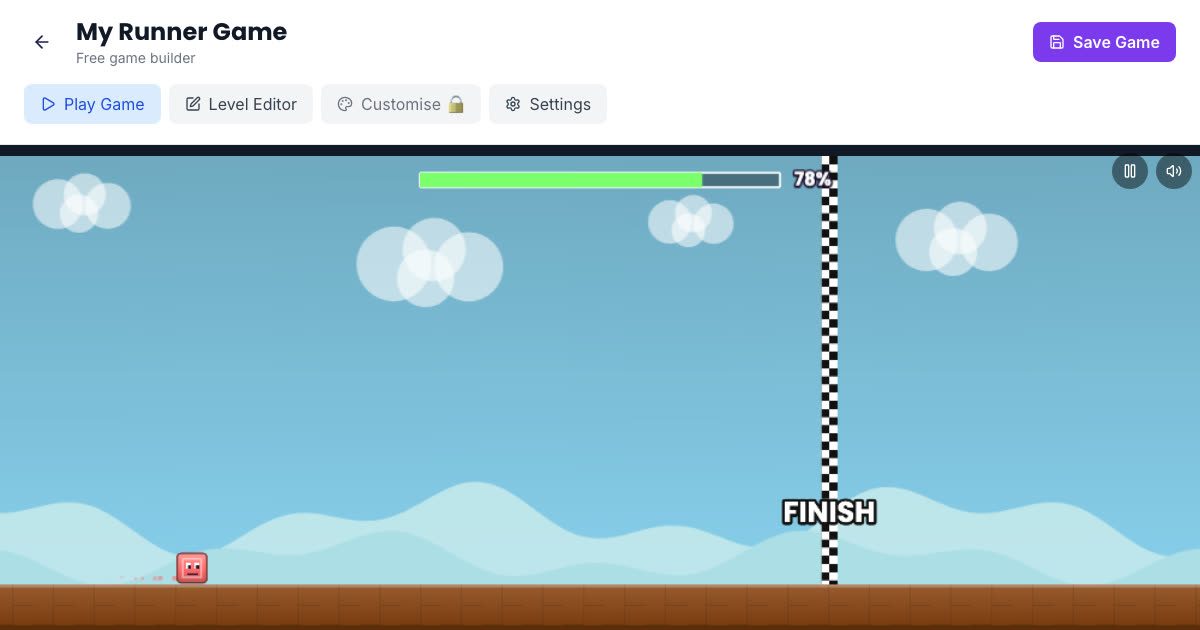
Run and jump through the level, then open the editor and draw your own with tiles: platforms, coins, hazards and enemies that patrol back and forth. In Settings you can change how fast the player runs, how high they jump, how strong gravity is and whether they can double jump.
Ages
7–11
Price
Free
Account
Not needed
To save it
Free pupil account
Needs a keyboard: use a laptop or desktop computer. Your game is kept in this browser; a free pupil account (just a username) saves it and lets your child share it with their class.
How to make your game
- 1Press Play: the left and right arrows to run, the up arrow to jump.
- 2Open Edit and draw your level with tiles, coins, hazards and enemies.
- 3Change the jump and gravity in Settings, then test your level again.
What your child practises
- Designing a level, testing it and fixing what does not work
- Changing one setting at a time and seeing what it does
- Planning a route so a level can be finished but is still a challenge
A tip for parents and teachers
Change the gravity together and ask your child to predict what will happen before they play. Predict, test, explain is exactly how game designers work.